Set-up guide
Connect Yahoo Mail to Claude or ChatGPT.
Your Yahoo Mail in Claude, ChatGPT and other AI apps. Yahoo turns your normal password away in any app that isn't its own, so you make one Yahoo app password first. Then the control panel fills in the servers, and the whole thing takes about 5 minutes.
- Time About 5 minutes
- You will need A Yahoo app password
- Addresses @yahoo, @ymail, @rocketmail

The short answer
Can Claude or ChatGPT read Yahoo Mail?
Yes, through Mailbox MCP, once you give it a Yahoo app password instead of your normal one. Then your AI can read, search, answer and file your Yahoo Mail.
- Make an app password on Yahoo's Account Security page, under External connections.
- In the Mailbox MCP control panel, type your Yahoo address and press Find my settings.
- Paste the app password, not your Yahoo password.
- Add Mailbox MCP to Claude or ChatGPT, and choose the mailbox.
It works on the free tier with no card, so you can find out in a few minutes whether it suits you.
The one thing to know
Why Yahoo turns your normal password away
Yahoo keeps your account password for Yahoo's own sign-in page. Its help says "third-party email apps" that don't sign in through that page need an app password instead. Mailbox MCP signs in to your mailbox the way a mail program does, so Yahoo will refuse your normal password here however carefully you type it.
That wording matters. An app password isn't a second account or a weaker lock. In Yahoo's words it's one of the "randomly generated codes" made for a single app, and you can delete it without touching your Yahoo password or any other app.
Our control panel knows a Yahoo address when it sees one. When Yahoo refuses the password, the panel says so in plain words rather than asking you to look for a typo. We added that on 7 October 2026, after watching Yahoo lead the refused passwords that day. Each one was somebody's ordinary Yahoo password.
The servers are looked up for you, but the lookup doesn't warn about the password first. So make the app password before you start, and you'll never meet the message on this slip.
Mailbox MCP control panel
The server did not accept that password
Yahoo only accepts an app password here, never your Yahoo password. Make one at Yahoo: Account info, Account security, Generate app password.
If you recently changed your mail password, this is the new one we need.
Before you start
How to make a Yahoo app password
Yahoo's own steps, as its help gives them on :
- Sign in to your Yahoo Account Security page.
- Under External connections, select Create app password.
- Type a name you'll recognise later, such as Mailbox MCP.
- Select Generate password.
- Copy the password into the control panel, then select Done.
Do it in the browser you normally use for Yahoo, and not in a private window. Yahoo checks if you're allowed to make one, and it says a browser you've signed in with "for several days in a row" is the one that passes.
One app password per app is the tidy way. If you later connect the same Yahoo mailbox somewhere else, make it a password of its own.
- Account Security
- External connections
- Create app password
- Generate password
Yahoo app password for
Mailbox MCP
Paste this into the control panel, never your Yahoo password.
Walkthrough
How to connect Yahoo Mail to Claude or ChatGPT, step by step
-
Make a Yahoo app password
On Yahoo's Account Security page, under External connections, select Create app password, name it and select Generate password. The section above has the detail.
-
Add your Yahoo address and press Find my settings
In the control panel, add a mailbox and choose Any other email provider. Type your @yahoo.com (or @yahoo.co.uk, @ymail.com or @rocketmail.com) address and press Find my settings. Yahoo's servers come back filled in, from the public directory Thunderbird uses.
-
Paste the app password and connect
Paste the Yahoo app password, not your Yahoo password, and connect. The panel opens the mailbox while you wait. If Yahoo says no, nothing is stored and you're told why.
-
Add the connector to Claude or ChatGPT
In Claude: open Mailbox MCP in Claude's directory (or Customize, then Connectors, and search for it) and press Connect to Claude. Sign in to Mailbox MCP when it asks, and choose your Yahoo mailbox.
Want one connector per mailbox, or no directory in your organisation? Add a custom connector: Customize, Connectors, + Add, Add custom connector. Give it a name, paste the connector URL from the mailbox's Connector tab in the control panel and press Continue, then Add without changing anything. Then press Connect and choose your Yahoo mailbox. The Claude.ai set-up guide has every screen.
Claude starts a new connector's tools at Needs approval, so it asks before every step. We set ours to Always allow (open the connector under Customize, Connectors) and let the level you chose in the control panel be the limit.
In ChatGPT: select Plugins in the sidebar, find Mailbox MCP in the plugin directory, select Install plugin, then Continue to Mailbox MCP, and sign in. For a second mailbox, open the plugin again and press Connect another account. The ChatGPT set-up page covers developer mode too.
-
Check that it worked
Ask: Using Mailbox MCP, list my 5 most recent emails. If they're the ones you expect, it's connected. Open your Yahoo inbox afterwards: nothing was marked as read.
Then try a morning brief from your Yahoo inbox, set once and run by your own Claude or ChatGPT.

Got your Yahoo app password? Connecting the mailbox is a paste and a sign-in, on the free tier with no card.
If you like to check
Yahoo Mail IMAP and SMTP settings
You don't have to type any of these. Find my settings fills them in from your address. They're here so you can check what the panel shows against what Yahoo publishes.
These are the Yahoo IMAP settings as Yahoo's help lists them: reading
at imap.mail.yahoo.com on port 993, and sending at smtp.mail.yahoo.com on port 465 or
587, with SSL required on both. The username is your full Yahoo
address.
We ran our own lookup against a Yahoo address on , the same code the panel uses. It returned port 465 for sending and connected to Yahoo's reading server before saying so.
If a mail program on your computer already reads your Yahoo mailbox, its account settings will match these. Connect Claude to IMAP email explains the 4 settings for any provider.
What the panel fills in for Yahoo
- Reading (IMAP) imap.mail.yahoo.com : 993
- Sending (SMTP) smtp.mail.yahoo.com : 465
- Encryption SSL on both
- Username your full Yahoo address
- Password a Yahoo app password
From Yahoo's help and our own lookup, both on 9 November 2026. Yahoo also lists port 587 for sending.
Troubleshooting
If Yahoo Mail still won't connect
Nearly always, it's the ordinary Yahoo password in the box. If it isn't that, it's one of these.
-
Yahoo won't let you create an app password.
Yahoo decides who may make one, and says its customer care can't override it. Use the browser you sign in to Yahoo with most days, on your usual computer, and not a private window.
-
The app password belongs to another Yahoo account.
If your browser was signed in to a second Yahoo account, the password was made for that one. Sign out, sign in as the address you're connecting, and make a new one.
-
It worked, then stopped.
The mailbox's Connection tab in the control panel says "Your mail server stopped accepting this password". Usually the app password was deleted under External connections. Make a new one and paste it into the form under that message.
-
The address has a typo.
Yahoo answers a wrong username with the same refusal as a wrong password. Check every letter of the address before anything else.
What you get
What Claude can do with your Yahoo Mail
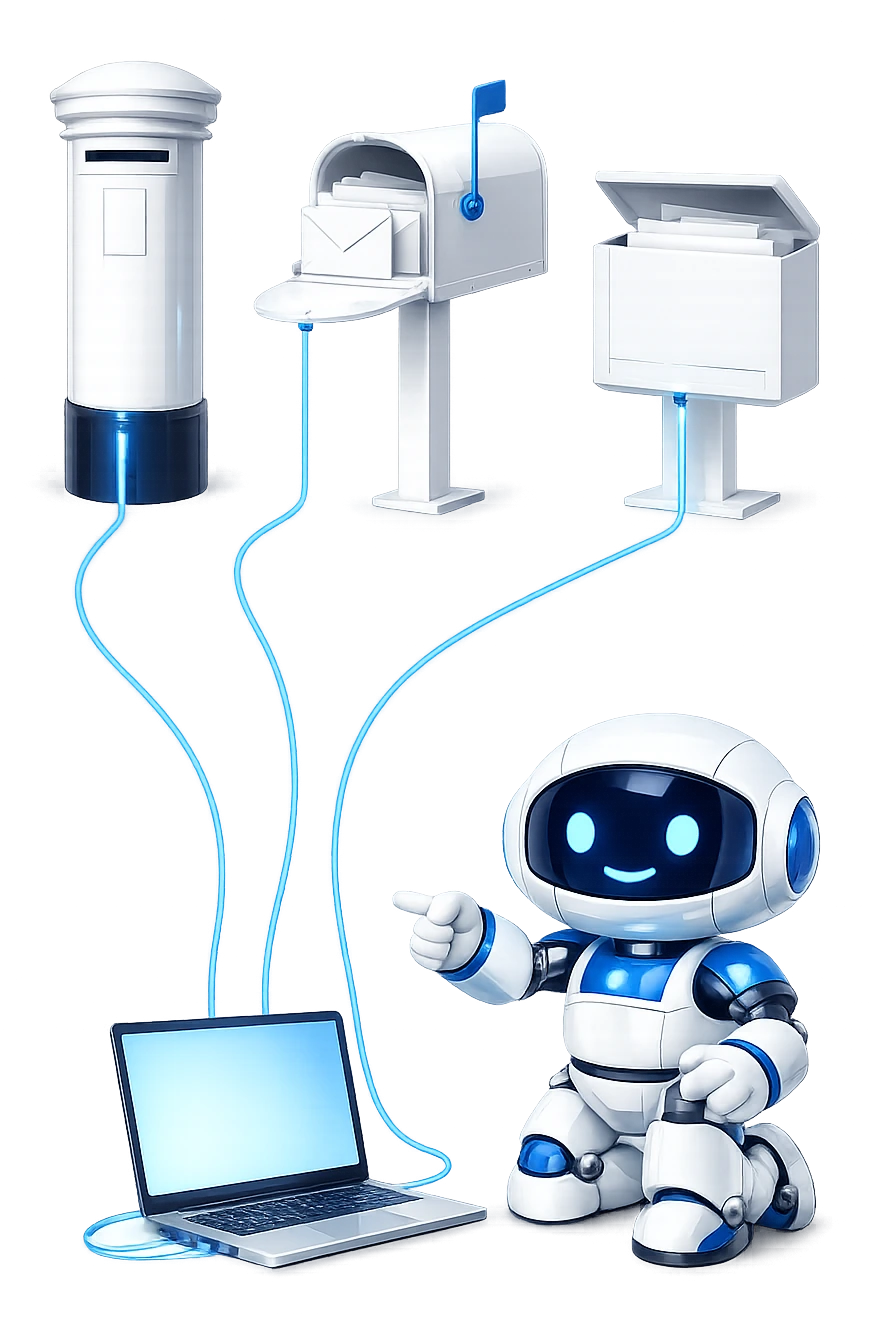
A Yahoo mailbox gets the same tools here as Gmail or Outlook. Your AI doesn't just read it: it files, clears out, opens attachments and answers questions about the whole inbox.
-
It works in Claude and ChatGPT, and more.
Claude.ai, Claude Desktop, ChatGPT, Grok, Cursor and other AI apps that take an MCP server. The set-up pages cover each one.
-
Yahoo beside your other mailboxes.
Connect Yahoo next to Gmail, Outlook or work mail, and one chat can answer from any of them. Multiple email accounts in Claude shows how.
-
It files, not just reads.
Move, archive or junk mail, make a folder, or clear out everything from one sender, up to 500 emails in one go. Deleting moves mail to Trash, the way Yahoo's own webmail does.
-
Attachments, read and sent.
It reads inside a PDF, a spreadsheet or a scanned letter, and attaches files up to 20 MB an email. Sending and reading attachments has the detail.
-
Whole-inbox answers.
Ask what came in today, or who's still waiting on a reply from you. Each is one call, however many messages it covers.
-
You decide how far it goes.
Each connection is read only, draft and file, or send and delete. Reading never marks mail as read. How it's kept safe.
Watch: 2:49
Meet Pip: Yahoo Mail in Claude or ChatGPT, on film
A short film on connecting your mailbox to Claude or ChatGPT and what your AI can do with it. Pip names Yahoo at 0:32, in "Connect once": choose that moment in the chapter list to start there.

Read what Pip says
Meet Pip
Oh! Are we on? Is it recording? Right. Ahem. Hello! I'm Pip. Personal Inbox Pilot. I work at Mailbox MCP, and my job is your email. Best job in the world, honestly.
Your AI can't see your inbox
Here's the thing. Your AI assistant is very clever. Poems. Recipes. Holiday plans. But ask it what's in your inbox and... nothing. It can't see a thing.
Connect once: Gmail, Hotmail, Microsoft 365 and IMAP
That's where I come in. Connect your mailbox once, and Claude, ChatGPT, or whichever AI you like, can actually use it. Gmail? Yes. Hotmail and Outlook.com? Yes. Microsoft 365, at work? Absolutely. And any mailbox that speaks IMAP. iCloud, Yahoo, the one your web host gave you years ago. Yes, yes, and yes. Bless it.
Email and attachments
Ask "what came in overnight that actually needs me?" and you get an answer. Not a hundred subject lines. I read the attachments too. PDFs, spreadsheets, even that wonky photo of a receipt. Replies land in the right conversation. Sent mail gets filed in Sent. And drafts wait in your Drafts folder, so you can check them first.
Calendar and contacts
Calendar? Connect it, and I'll check who's free, book the meeting, and answer the invitation. No 14-email ping-pong. Contacts? I'll find Sarah from accounts. Even though you saved her as "Sarah ACCOUNTS do not ignore".
Leaves your inbox exactly as it was
And this is my favourite bit. Open your inbox afterwards, in Outlook or Gmail, and you can't tell I was there. Reading an email doesn't mark it as read. Deleting moves it to the bin, not into the void. I'm basically a very tidy ghost. With a clipboard.
You're the boss, and pricing
And you're the boss. Set me to Read only, Draft and file, or Send and delete. Try me free, with 5 calls a day for each mailbox. Pro is £34.99 a year per mailbox, plus VAT, for 1,000 calls a day. Same tools. I just get to keep going.
The cape
Also, I get a cape. I'm not saying that's a reason to upgrade. But there is a cape.
Say hello
Come and say hello at mailbox-mcp.com. Go on. Your inbox isn't going to sort itself out. Well... it is now. That's sort of the point.
ChatGPT
Connect ChatGPT to Yahoo Mail
To connect Yahoo Mail to ChatGPT, use Mailbox MCP from the ChatGPT plugin directory, where it's reviewed and listed by OpenAI. Connect your Yahoo mailbox in the control panel as above, then install Mailbox MCP in ChatGPT, sign in and choose the mailbox.
ChatGPT gets the same tools Claude does. In ChatGPT a file from the chat, such as an image it has just made, can go straight onto an email from your Yahoo address.
The same Yahoo mailbox can be connected to Claude as well, and both work. The ChatGPT set-up page walks through every screen.

Limits
What a Yahoo Mail connection doesn't do
-
An app password, always
It can't use your Yahoo password. Neither can any other app that doesn't sign in through Yahoo's own page.
-
The calendar is a separate step
Connecting the mail doesn't connect a diary. You can add a Google calendar, or a CalDAV calendar by its address. We haven't tested Yahoo's own calendar, so we don't list it.
-
One mailbox each
One connection is one mailbox. A second Yahoo address is a second connection, with its own app password.
-
20 MB a message
Attachments are capped at 20 MB a message in total, not per file.
-
Not a backup tool
It is not a backup, an archive or a migration tool.
Questions
Questions about Yahoo Mail and AI
Can Claude read my Yahoo Mail?
Yes, through Mailbox MCP. Make an app password on Yahoo's Account Security page, connect your Yahoo address in our control panel, then add Mailbox MCP to Claude from its directory or as a custom connector. Claude can then read, search, answer and file your Yahoo Mail, and reading never marks anything as read.
Can ChatGPT connect to Yahoo Mail?
Yes, with Mailbox MCP from the ChatGPT plugin directory. Connect your Yahoo mailbox in our control panel with a Yahoo app password, install Mailbox MCP in ChatGPT and choose the mailbox. ChatGPT can then read, search, file, answer and send from it, and the same mailbox works in Claude too.
Why does Yahoo say my password is wrong when it is right?
Because it's your Yahoo password, and Yahoo won't take it from an app that isn't its own. It wants an app password instead. Our control panel recognises a Yahoo address and says so when this happens: "Yahoo only accepts an app password here, never your Yahoo password." Make one, paste it in, and test again.
Where do I make a Yahoo app password?
On Yahoo's Account Security page. Under External connections, select Create app password, type a name you'll recognise, such as Mailbox MCP, and select Generate password. Copy the password straight into our control panel, then select Done.
Why can't I create a Yahoo app password?
Yahoo runs its own eligibility check on the request, and its customer care can't override it. Yahoo's advice is to use a browser you've signed in to Yahoo with for several days in a row, and not a private or Incognito window. Try again from your usual browser, on your usual computer.
What are the Yahoo Mail IMAP and SMTP settings?
Mail is read from imap.mail.yahoo.com on port 993 and sent through smtp.mail.yahoo.com on port 465, or 587, with SSL on both. The username is your full Yahoo address and the password is an app password. You don't need to type any of it here, because Find my settings fills in the servers from your address.
How do I stop Claude or ChatGPT reading my Yahoo Mail?
Delete the app password on Yahoo's Account Security page, under External connections, and the connection can't sign in again. Short of that, set the connection to Read only in our control panel, so your AI can read but can't send, move or delete anything.
Is it free to connect Yahoo Mail to Claude or ChatGPT?
Yes, to start. Every mailbox gets 5 calls a day free, with no card. Pro gives a mailbox up to 1,000 calls a day at £2.92 a month, paid annually at £34.99 + VAT.
Attribution
Sources
- Yahoo Help: generate and manage third-party app passwords Where the app password is made, the External connections labels, the advice on which browser to use, and how to delete one. Read 9 November 2026.
- Yahoo Help: IMAP server settings for Yahoo Mail The reading and sending servers, their ports, SSL and the full address as username. Read 9 November 2026.
- Anthropic: Use connectors to extend Claude's capabilities Finding a connector in Claude's directory and the Connect step. Read 9 November 2026.
- Connect Claude to IMAP email on your own domain The 4 IMAP settings in general, and the other providers that want an app password.
- Connect Claude to iCloud Mail and your Apple calendar The same app-password route on Apple's mail, with a username trap of its own.
Connect your Yahoo mailbox.
Free on any mailbox with 5 calls a day, and Pro up to 1,000 a day at £2.92 a month, paid annually at £34.99 + VAT.